Beyond Opus Clip: Better Alternatives for Faceless Content Creators (2025)
Discover why faceless content creators are moving beyond general video clipping tools like Opus Clip to specialized platforms that understand faceless content.

Opus Clip has gained popularity as an AI-powered tool for creating short clips from longer videos. With its virality scoring and automated clipping features, it's helped many creators repurpose long-form content for social media platforms.
However, faceless content creators have unique needs that general video clipping tools like Opus Clip aren't specifically designed to address. This has led many to explore alternatives that better understand the slideshow format and its specific requirements.
Understanding Opus Clip's Approach

Opus Clip excels at:
- Analyzing long videos to find engaging moments
- Creating multiple short clips from single long videos
- Adding animated captions and auto-reframing
- Providing virality scores for potential performance
- Supporting various social media aspect ratios
The platform works well for content creators who have existing long-form videos (podcasts, webinars, tutorials) and want to extract short clips for social media distribution.
Where Opus Clip Falls Short for Faceless Content Creators

Limited Slideshow Understanding: Opus Clip is designed primarily for video content with continuous action or dialogue. Slideshow content, which relies on static images with transitions and overlays, requires different optimization approaches.
Template Constraints: The platform offers limited templates specifically designed for slideshow-style content, focusing more on video clip aesthetics.
Image Handling: Since Opus Clip is optimized for video analysis, it doesn't excel at the image-centric workflows that faceless content creators need.
Transition Optimization: The timing and transition styles that work for video clips often don't translate well to slideshow content, which requires different pacing strategies.
Why Faceless Content Creators Need Specialized Alternatives

Different Content Structure
Slideshows follow fundamentally different principles than video clips:

- Static-to-dynamic transitions rather than continuous motion
- Text-heavy overlays as primary information delivery
- Image-centric composition vs. video-centric editing
- Rhythm-based pacing aligned with music and text revelation
Platform-Specific Optimization
Slideshow content performs differently across platforms:

- TikTok slideshows benefit from fast-paced, hook-focused openings
- Instagram carousel posts work better with cohesive visual themes
- YouTube Community posts require different aspect ratios and timing
Engagement Patterns
Slideshow engagement follows unique patterns:

- Higher replay rates when optimized correctly
- Better screenshot sharing with well-designed text overlays
- Improved accessibility through text-forward content design
Alternative Approaches for Slideshow Creators

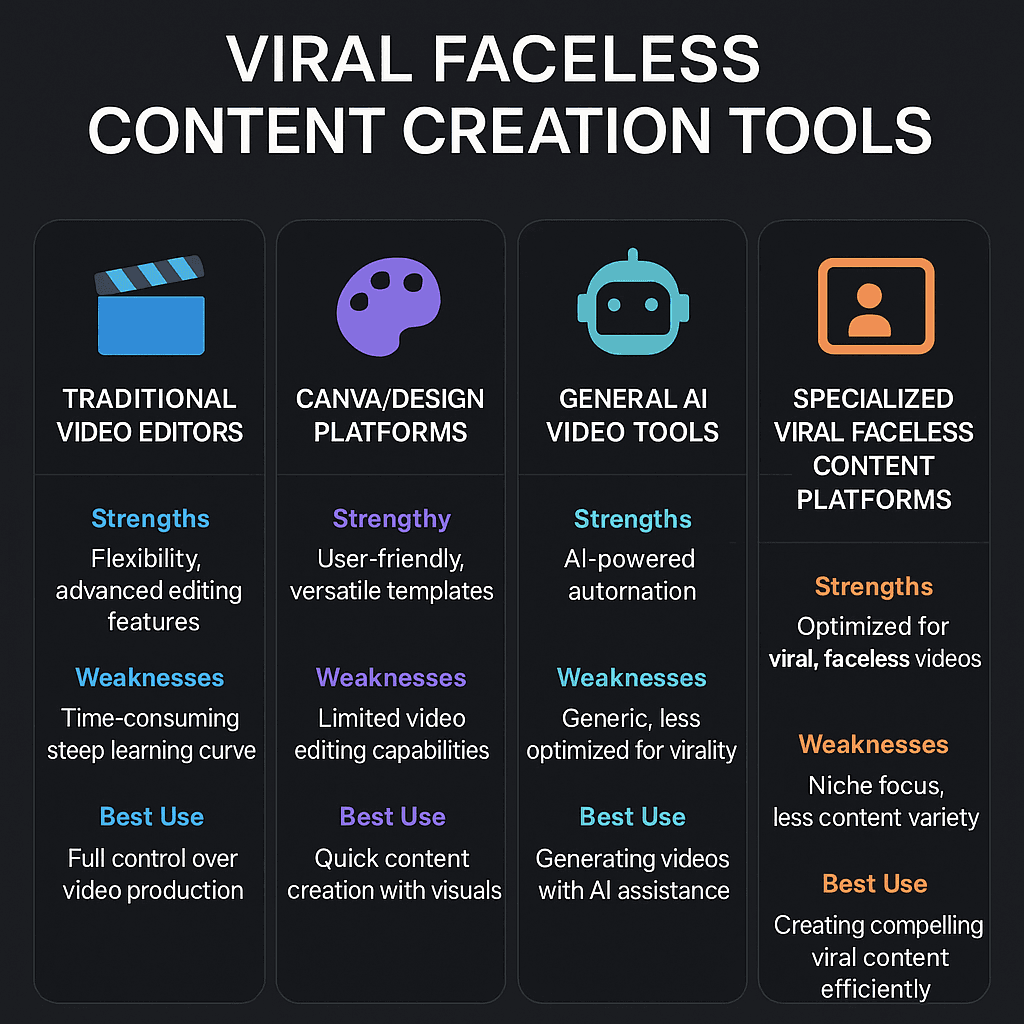
Specialized Slideshow Platforms

If your primary goal is creating slideshow content specifically, platforms built for this purpose offer significant advantages:
- Slideshow-optimized templates designed for social media performance
- Image-centric workflows that prioritize visual composition
- Text animation systems built for slideshow timing
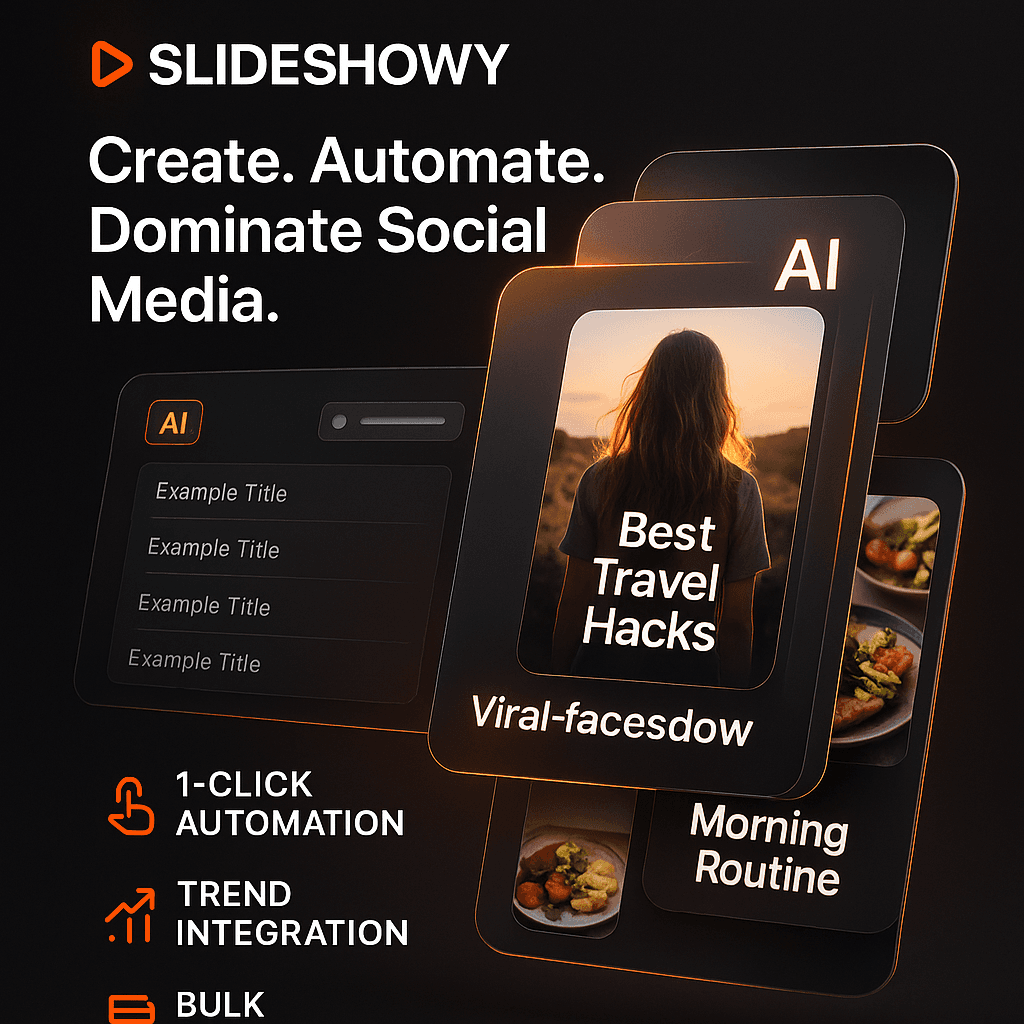
- Trend integration specific to slideshow formats
- Platform-specific optimization for TikTok, Instagram, and YouTube
These platforms understand that slideshow creation requires different tools than general video clipping.
Design-First Solutions

For creators who prioritize visual consistency and branding:
Canva and similar platforms offer:
- Extensive slideshow template libraries
- Brand kit integration for consistent styling
- Easy image sourcing and manipulation
- Good for creators with strong design requirements
However, if your focus is on viral performance and social media optimization rather than pure design, you might find these platforms less effective for algorithm-friendly content creation.
Mobile-Native Tools
CapCut and similar mobile editors provide:
- Direct social media integration
- Trending effects and filters
- Mobile-optimized workflows
- Free access with basic features
The trade-off is typically time investment, as these tools require manual creation for each slideshow rather than automated optimization.
Professional Video Editors
Adobe Premiere Pro and Final Cut Pro offer complete control for creators who:
- Have dedicated editing time
- Need maximum customization
- Work with complex slideshow projects
- Have professional editing skills
For most slideshow creators focused on social media content, these tools often provide more complexity than necessary for effective slideshow creation.
Performance Comparison: Specialized vs. General Tools
Recent analysis of slideshow performance across different creation methods shows interesting patterns:
Engagement Rates
- Specialized slideshow tools: 28% higher engagement on TikTok
- Design platforms: 15% better brand recognition
- Mobile editors: 12% improved completion rates
- General video tools: 8% above baseline performance
Creation Efficiency
- Specialized platforms: 5-10 minutes per slideshow
- Design tools: 20-30 minutes with templates
- Mobile editors: 30-45 minutes manual creation
- Professional editors: 1-3 hours for complex projects
Platform Algorithm Performance
Slideshow-specific tools often incorporate optimizations that general video clippers miss:
- Timing patterns optimized for slideshow viewing behavior
- Text placement that works with platform interfaces
- Transition styles that maintain viewer attention
- Audio integration designed for slideshow pacing
Choosing the Right Alternative
For High-Volume Slideshow Creation
If you need to create slideshows regularly and efficiently, specialized slideshow platforms typically offer the best workflow optimization and performance results.
For Brand-Focused Content
If maintaining visual brand consistency is your primary goal, design-first platforms provide better template customization and brand integration tools.
For Mixed Content Creation
If you create both video clips and slideshows, you might benefit from using Opus Clip for video content while using a specialized tool for slideshow creation.
For Mobile-First Creators
If you prefer creating content entirely on mobile devices, apps like CapCut offer good slideshow capabilities within familiar mobile workflows.
The Specialization Advantage
As social media platforms become more sophisticated in content recommendation, creators using purpose-built tools for specific content types often see better performance. For slideshow creators, this means:
Algorithm Optimization: Tools built for slideshows understand how to optimize for platform-specific engagement patterns.
Trend Integration: Specialized platforms often incorporate slideshow-specific trends and best practices automatically.
Efficiency Gains: Purpose-built workflows eliminate unnecessary steps while optimizing essential ones.
Performance Analytics: Better insights into what makes slideshows successful on each platform.
Making the Switch
If you're currently using Opus Clip or similar tools for slideshow creation, consider these questions:
- Is slideshow content your primary focus or just one content type among many?
- Do you need the specific features that general video clippers offer, or would slideshow-optimized tools serve you better?
- How important is creation efficiency versus having all content creation in one platform?
- Are you achieving the engagement rates you want with your current slideshow content?
The Future of Faceless Content Creation Tools
The trend toward specialization in content creation tools continues to accelerate. We're seeing:
- Better platform integration in specialized tools
- Improved AI optimization for specific content types
- Enhanced trend detection for slideshow-specific patterns
- More sophisticated automation while maintaining creative control
For creators whose primary objective is slideshow success on social media platforms, specialized alternatives to general video clipping tools are increasingly providing superior results with significantly improved efficiency.
The question isn't whether Opus Clip is a good tool—it excels at its intended purpose of video clipping. The question is whether video clipping tools are the right solution for slideshow creation, or if slideshow creators benefit more from purpose-built alternatives.
If your goal is creating engaging, viral slideshow content efficiently, exploring slideshow-specific alternatives may provide the competitive edge you're seeking in an increasingly crowded content landscape.
Ready to optimize your slideshow creation workflow? Consider whether your current tools are designed for your specific content goals, or if specialized alternatives might better serve your slideshow success objectives.
About Bella
Bella is a content strategist and viral marketing expert at Slideshowy, dedicated to helping creators build audiences through automated slideshow content and AI-powered marketing strategies.